



























A scanner in your pocket
Photograph a page, set its corners, done.
The page is straightened as a flatbed scanner would give it. Add page after page: a contract, a receipt, a letter, a whole report. The pages stay on your phone until you delete them.
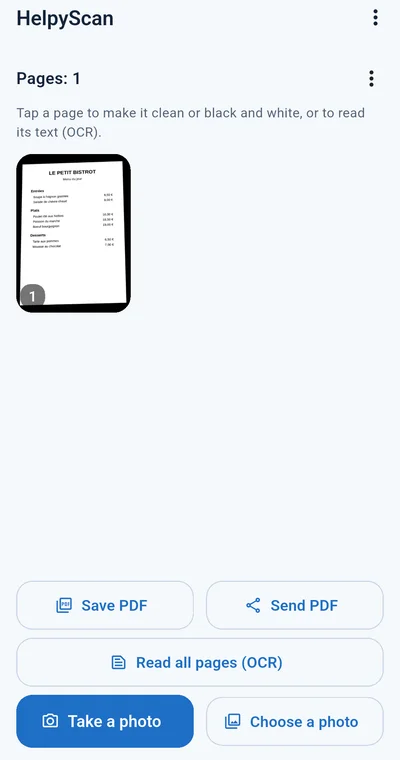
A fast document scanner for your phone, with OCR in 36 languages built in. Pages straightened, cleaned, read and sent as pictures or PDF, all on your phone, from its camera or from your office scanner.
OCR in all 24 official EU languages + 12 key world languages = 36 languages
NativeOCR engine, powered by NativeHelpy technology
Photograph a page, set its corners, done.
The page is straightened as a flatbed scanner would give it. Add page after page: a contract, a receipt, a letter, a whole report. The pages stay on your phone until you delete them.
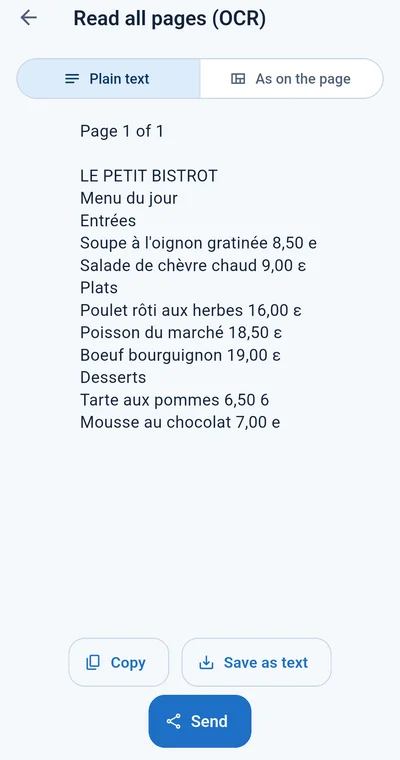
OCR for one page or the whole document.
Plain text, ready to paste into an e-mail or a form, or as on the page, with every line in its place: a price list keeps its columns. Copy it, save it as a text file or send it.
Yellowish or recycled paper made white, with one tap.
Clean keeps the text's colours on a white page; B&W gives crisp black text for printing and archiving. Both are optional: the original is always kept, one tap away.
Local scanner on the phone, SANE network scanners too.
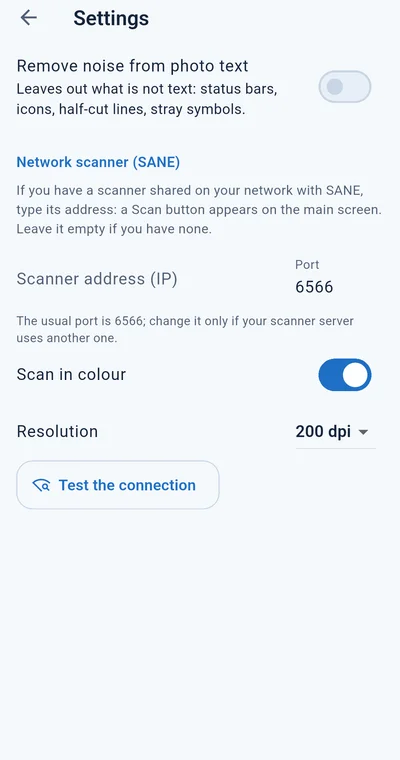
Type the address of a scanner shared on your network with SANE (port 6566 unless your server uses another), choose colour or gray and the resolution: a Scan from the scanner button brings the page in, already straight, ready to read and send.
Pictures or one PDF, sent the way you already send things.
Save a page or the whole document where you choose, or send it with your phone's own menu: WhatsApp, e-mail, Drive, Bluetooth or any other app.
HelpyScan reads text with NativeOCR, NativeSoft's own innovative OCR engine, an optimized extension of NativeHelpy. It runs entirely on the phone, without a cloud service: your contracts, invoices and medical papers are never uploaded anywhere.
Latin, Cyrillic, Greek, Arabic, Persian, Hebrew, Devanagari, Chinese, Japanese and Korean, in one model. A page in any of them, or several on the same page, is read the same way, with no language to choose. A page photographed sideways is turned upright on its own.
OCR in every official language of the European Union, plus 12 key world languages.
Bulgarian · Croatian · Czech · Danish · Dutch · English · Estonian · Finnish · French · German · Greek · Hungarian · Irish · Italian · Latvian · Lithuanian · Maltese · Polish · Portuguese · Romanian · Slovak · Slovenian · Spanish · Swedish
Albanian · Arabic · Chinese · Hebrew · Hindi · Japanese · Korean · Persian · Russian · Serbian · Turkish · Ukrainian
The app itself, and its help, are in all 36 languages too.
Yes. Scanning, the clean pages and the OCR all run on the phone. Only a network scanner needs your local network.
No. NativeOCR reads all 36 languages and their scripts at once, also mixed on one page, whatever your phone's language.
Scanners shared on your network with SANE (the saned server, port 6566 by default), for example from a Linux computer or a NAS. Type its address in Settings and test the connection.
Yes. As on the page keeps every line where it stands, so a menu, a price list or a table keeps its columns in the text.
Yes, free to download and use, with no ads. Premium, a yearly subscription, removes the nativehelpy.com line from pages and PDF and the 5-page PDF limit.
Write to support@nativesoft.ro with what you scanned, what you expected and the app's version. Please leave out personal or confidential details.

Free · No account · No ads
Also from NativeSoft: HelpyTranslate, the offline translator in 36 languages.